
Wages not paid on time, no work after asking for it, a problem with your job card, no water or shade at the worksite – complaints like these are now filed online on the VB-G RAM G Grievance portal. All you need is a mobile number: it is verified by OTP, and you get a token number to track the complaint later.
What can you complain about?
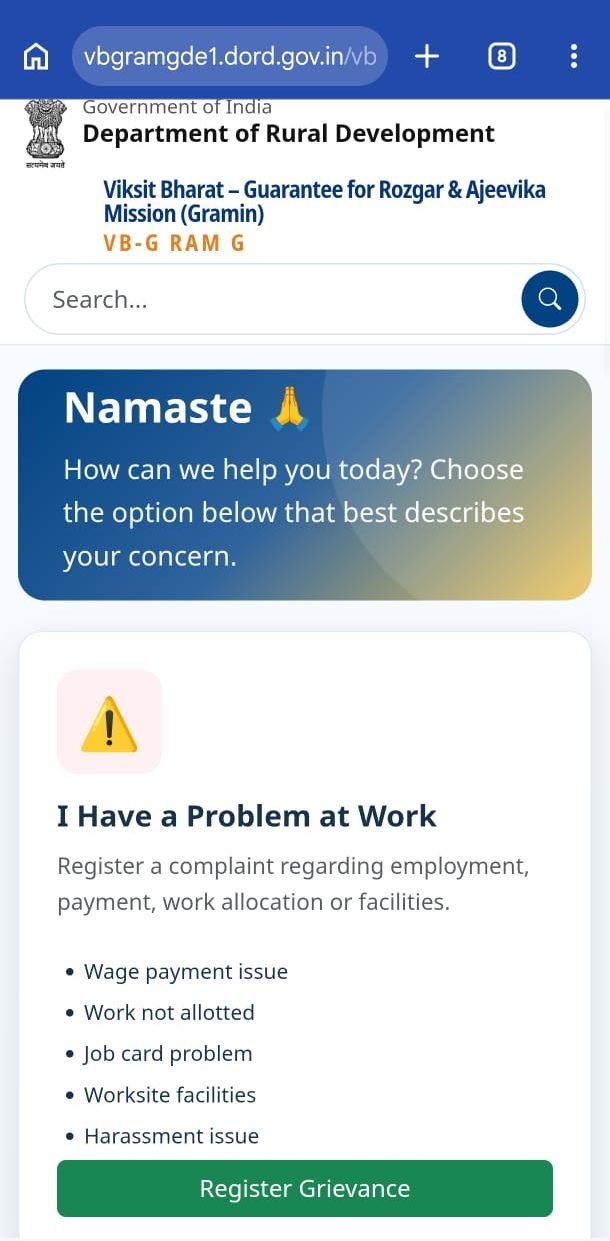
- Wages not paid, or paid late
- Work asked for but not given
- A problem with your job card (Gramin Rozgar Guarantee Card)
- Missing worksite facilities – drinking water, shade, first aid
- Harassment at the worksite
How to file a complaint online
- Open vbgramg.dord.gov.in and tap Grievance Redressal in the ☰ menu.
- Under I Have a Problem at Work, tap Register Grievance.
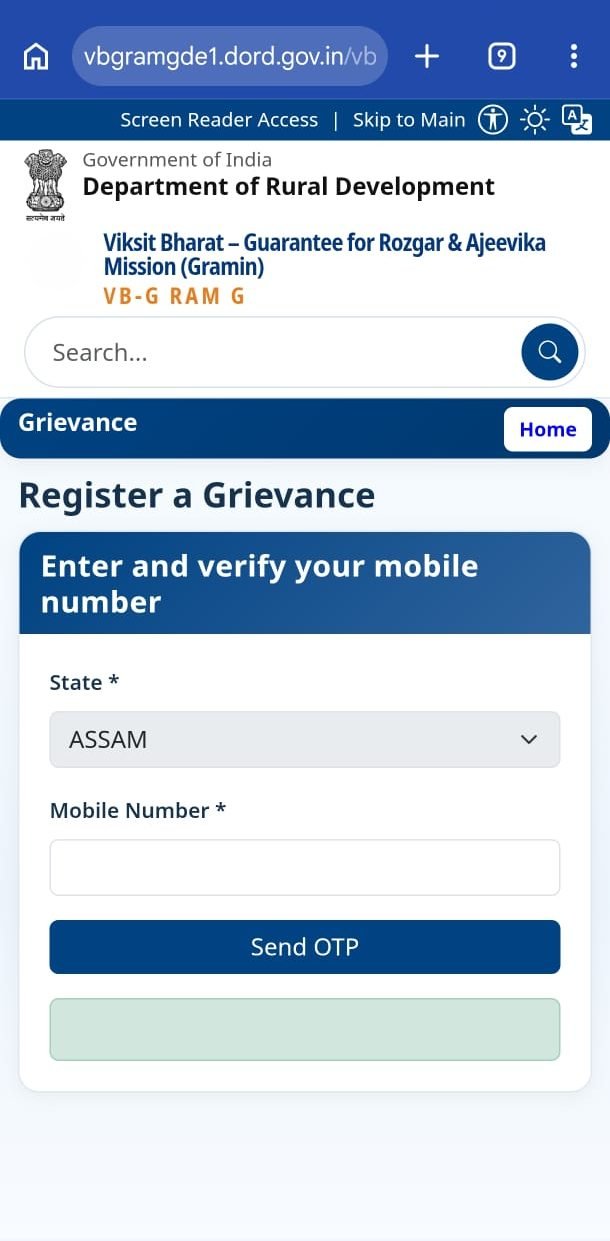
- Pick your State, enter your Mobile Number and tap Send OTP.
- Enter the OTP to verify the number.
- Fill in the type of complaint, district, block and panchayat, and describe the problem clearly. Add your job card number, work name or muster roll number if you know them.
- Note down the token number you get, or take a screenshot.
How to check the status
- Under I Already Complained, tap Track Status.
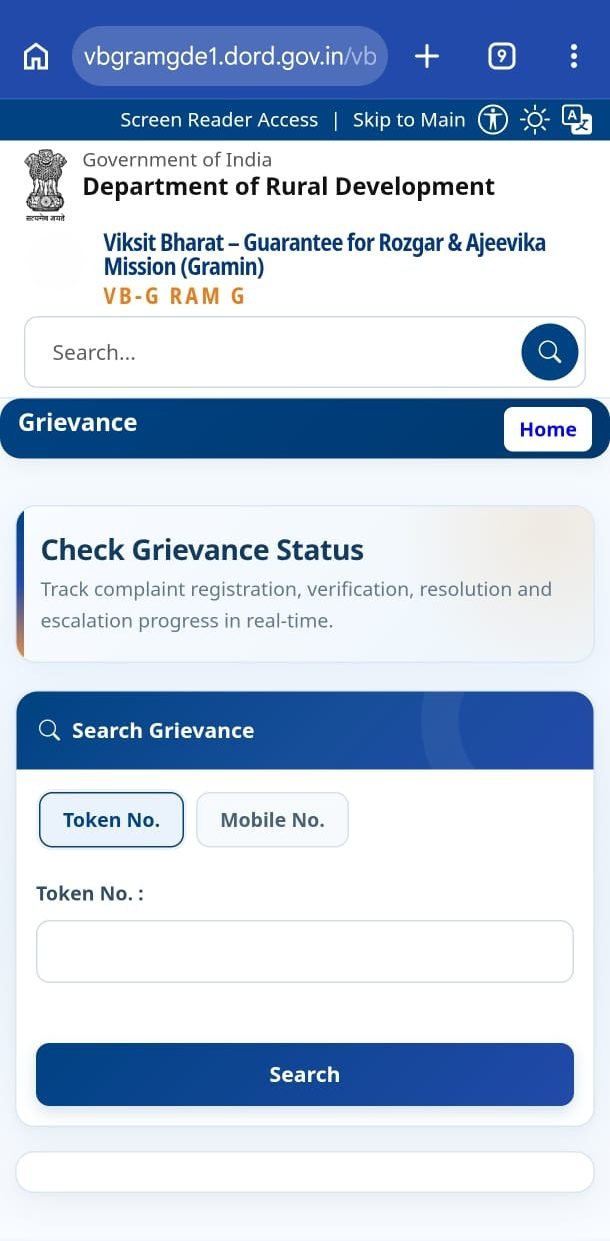
- Choose the Token No. or Mobile No. tab, enter the number and tap Search.
- You’ll see every stage: registration, inquiry, resolution and escalation.
How long does it take?
| Stage | Time limit (as shown on the portal) |
|---|---|
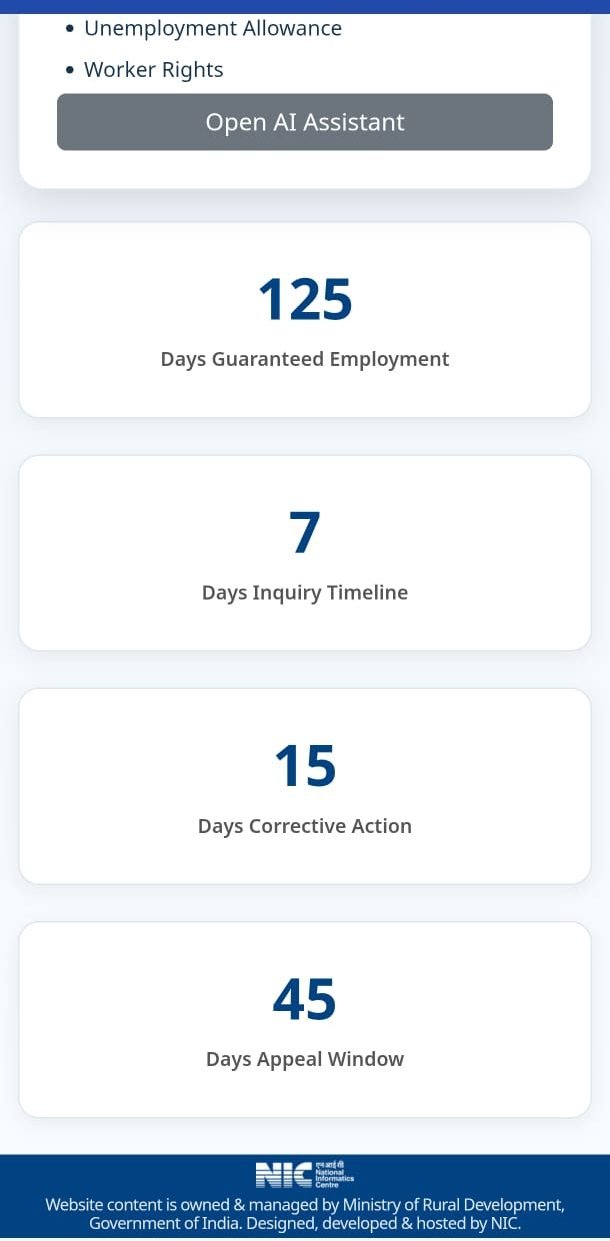
| Inquiry | 7 days |
| Corrective action | 15 days |
| Window to file an appeal | 45 days |
| Appeal decided within | 30 days |
Not happy with the outcome? Appeal
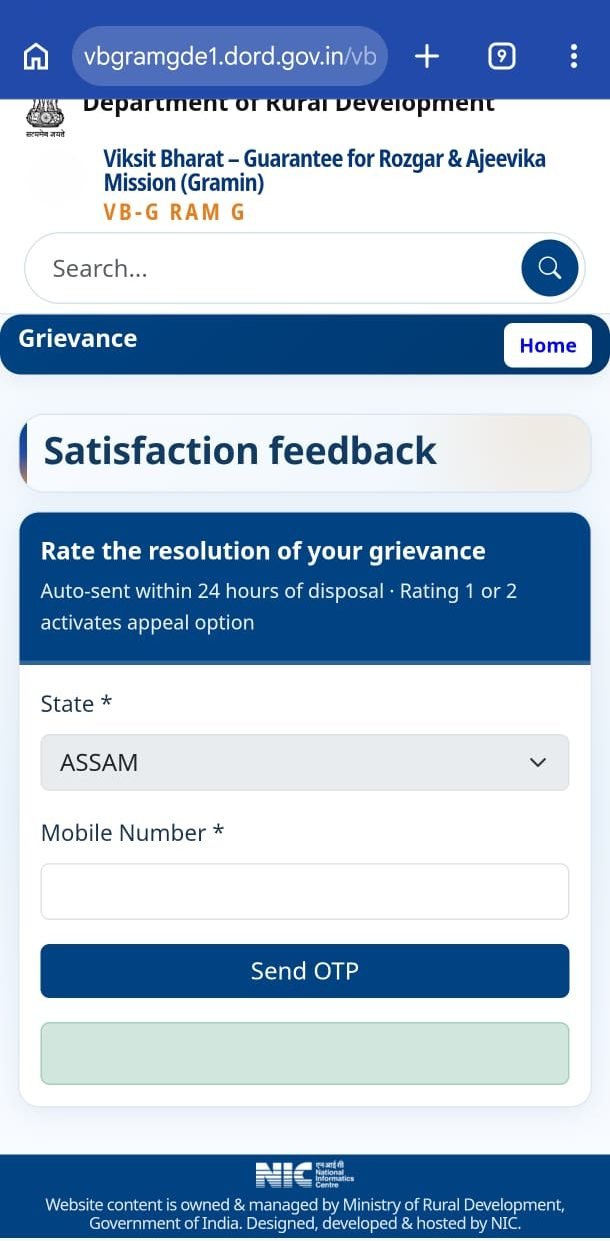
Within 24 hours of your complaint being closed, you’re asked to rate the resolution from 1 (very dissatisfied) to 5 (very satisfied). A rating of 1 or 2 unlocks the appeal option.
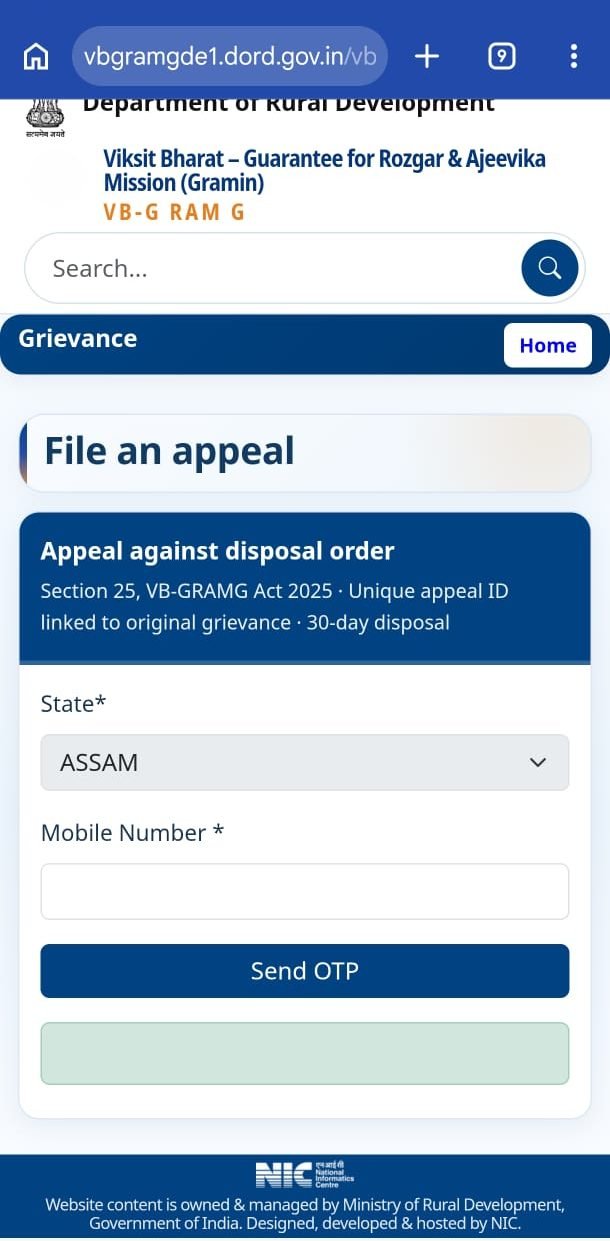
- Under Not Happy With Resolution, tap File Appeal.
- Pick your state, enter your mobile number and verify with OTP.
- Appeals are made under Section 25 of the VB-G RAM G Act, 2025. Each appeal gets its own ID, linked to the original complaint, and must be decided within 30 days.
- Upload evidence if you have it – a photo, a passbook page, a receipt.
Just have a question?
Under I Want To Ask Something there’s an AI Assistant. The official assistant answers in Hindi or English about the 125-day guarantee, payment timelines, unemployment allowance and workers’ rights. It can also register a complaint or check its status.
Screenshots of each step
Taken on a phone on 30 October 2026. The portal’s design may change – look for the buttons by name.
If you can’t file online
- Give a written complaint to the gram panchayat or Gram Rozgar Sahayak and ask for a receipt.
- Meet the block Programme Officer.
- Raise it at the gram sabha or social audit meeting.
FAQ
Where do I file an NREGA complaint online?
vbgramg.dord.gov.in → menu → Grievance Redressal → Register Grievance, using your mobile number and an OTP.
How do I check my complaint status?
Open Track Status on the grievance page and search by token number or mobile number.
Is there a fee?
No. Complaints and appeals are free.
My wages haven’t arrived – what should I check first?
Check your payment status first. Payments are often stuck because of an Aadhaar or bank issue that your bank can fix.
This guide was written by NREGA Job Card, an independent website, from the official portal. File complaints only on the government portal.