
In a social audit, villagers themselves check whether VB-G RAM G (formerly MGNREGA) money in their panchayat was spent on real works and real workers. The audit team takes the official records door to door and to the worksites, then reads the findings out at the gram sabha. The reports printed for this are public – anyone can view and download them.
How to view or download the social audit report
- Open vbgramg.dord.gov.in and tap MIS Report on the Dashboard to reach the reports site.
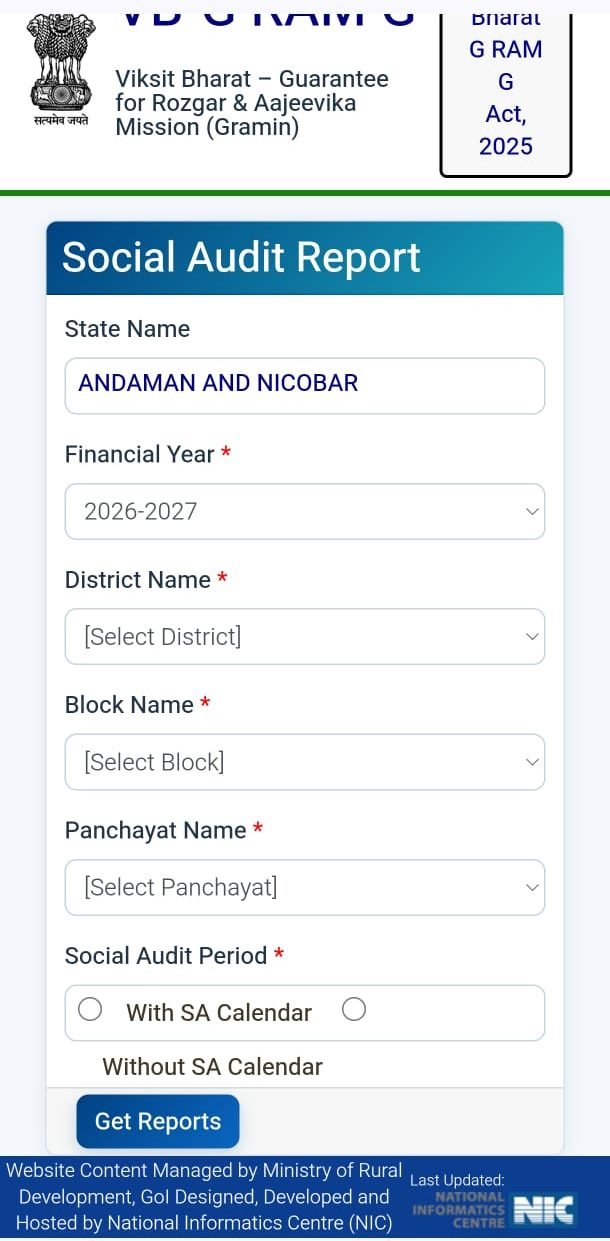
- Open the social audit formats/report link in the Social Audit section. The Social Audit Report form opens.
- Choose the State Name, Financial Year (e.g. 2026-2027), District, Block and Panchayat.
- Under Social Audit Period, pick With SA Calendar (the scheduled audit) or Without SA Calendar.
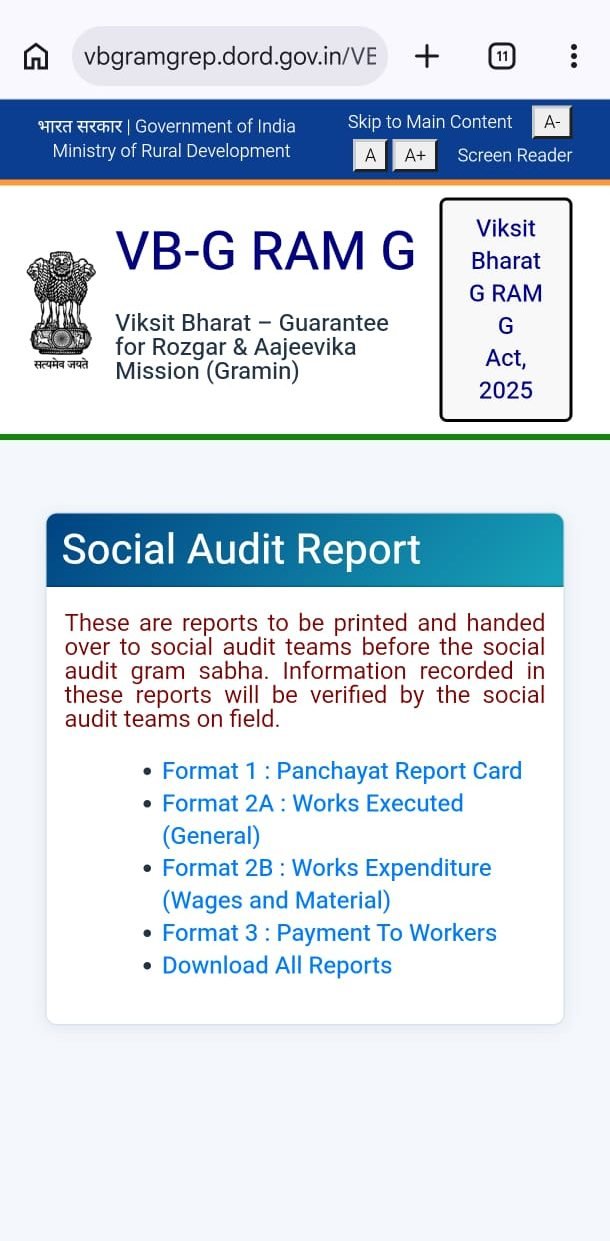
- Tap Get Reports. Links to the four formats appear, plus Download All Reports.
What the four formats contain
| Format | Name | What to check |
|---|---|---|
| Format 1 | Panchayat Report Card | The panchayat at a glance – households, work and spending |
| Format 2A | Works Executed (General) | Which works were done – do they actually exist on the ground? |
| Format 2B | Works Expenditure (Wages and Material) | Wage and material spending per work – are the bills right? |
| Format 3 | Payment To Workers | How much each worker was paid – are your name and amount correct? |
According to the portal, these reports are printed and handed to the social audit team before the audit gram sabha, and the team verifies them in the field.
Social audit reports in the MIS (R9)
- R9.1 Calendar and Completed Audits – when each panchayat will be audited, and which audits are done.
- R9.2 Social Audit Findings – the gram panchayat audit report, issue-by-issue listing, and recovery of misappropriated funds.
- R9.3 Action Taken Report – what was done about each issue and what’s still pending.
- R9.6 Gram Sabha uploaded documents – documents uploaded from the gram sabha.
What you can do as a worker
- Check your name, days and amount in Format 3. If something is wrong, raise it at the gram sabha.
- Use Format 2A to see whether works shown on paper were really built.
- Attend the social audit gram sabha – it’s open to everyone.
- To complain separately, file a complaint online.
Screenshots
FAQ
How do I download the NREGA social audit report?
On vbgramgrep.dord.gov.in, fill in the Social Audit Report form (state, year, district, block, panchayat), tap Get Reports, then Download All Reports.
Who conducts the social audit?
The state Social Audit Unit (SAU), with village resource persons (VRPs). Findings are presented at the gram sabha.
Do I need a login?
No. These reports are public.
Written by NREGA Job Card, an independent website, from the official portal. Full MIS guide: MIS Report.